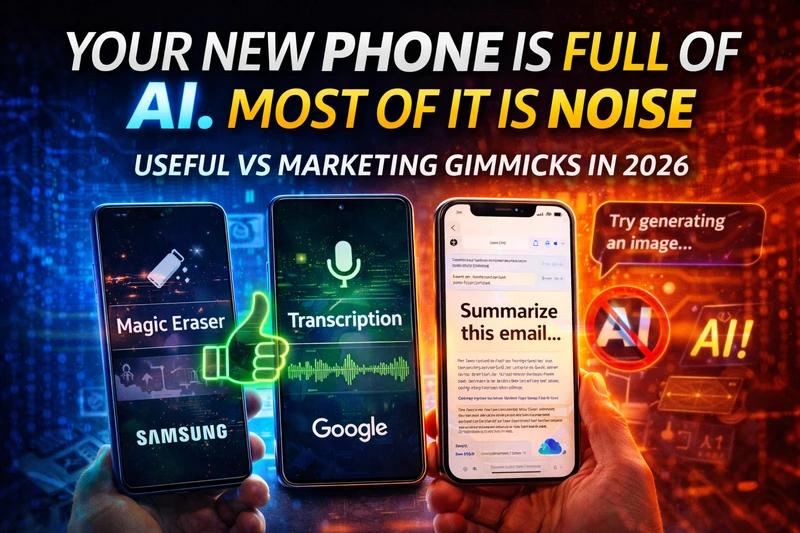
Every flagship phone now sells "AI." Only 11 percent of people upgrade for it. That gap—between the spec sheet and what you'll actually use—is the only story that matters. The industry is betting the next decade on AI features in phones, and most of what you're being sold is either half-baked or a bullet point for a press release. Some of it, though, is genuinely useful. Telling the difference will save you money and a lot of eye-rolling.
Apple Intelligence, Galaxy AI, and Google Gemini are everywhere. So are TOPS counts, "next-gen AI smartphone" labels, and keynotes that promise a smarter future. IDC defines next-gen AI phones as devices with NPUs capable of 30 or more TOPS; tens of millions of those shipped in 2024 alone. The push is real. What's also real is that many of the flashiest features—generative writing, image creation, "smarter" assistants—still underperform in the wild, while the boring stuff (transcription, photo cleanup, summaries) quietly gets the job done. This is the moment the industry is pushing hardest. Here's what's worth your attention and what to ignore.
The AI features in phones that actually help
Transcription is the unsung hero. Pixel 9's on-device transcription is highly accurate; iPhone 16's Live Voicemail transcription is clean and reliable; Samsung's Galaxy AI offers offline transcription and summarization in multiple apps. You don't think about it until you need to skim a meeting or a voicemail—then it's the only feature that matters. No cloud round-trip, no subscription. It just works.
Photo cleanup is the one everyone tries at least once. Google's Magic Eraser and Apple's Clean Up remove unwanted objects from photos with a tap. Results don't survive pixel-peeping—edited areas can look smudgy and details sometimes misalign—but for social posts and casual sharing they're good enough. Samsung's Galaxy AI tools sit in the same bucket: useful for quick fixes, not for pro work. The key is that they're there when you need them, without opening a separate app or paying a fee.
Email and content summarization is where the three camps diverge. Apple Intelligence, Galaxy AI, and Gemini can all summarize emails, audio, and web pages. Pixel and Gemini tend to give more detailed summaries across more apps; Apple keeps things concise and stays mostly in Mail. For skimming long threads or turning a voice memo into bullets, on-device AI features in phones like these are a genuine time-saver. No need to send your data to a server—the work happens on the chip.
Real-time translation is still imperfect but getting there. Samsung's Live Translate, Google's Interpreter Mode (offline on Pixel), and Apple's Translate handle call and conversation translation on-device. They're not flawless for every language or accent, but they're practical for travel and quick help. Battery and adaptive behavior round out the list: Android's Adaptive Battery and Brightness and Apple's Optimized Battery Charging use on-device AI to extend battery life. You never see a dashboard for it; you just get a phone that lasts longer.
What's mostly marketing
Generative writing—"help me write this email," "change the tone of this message"—sounds great until you use it. In practice, the output is often generic, off-brand, or just worse than what you'd write in 30 seconds. Reviewers and user feedback consistently rate these features as underwhelming. They're demo fodder, not daily drivers.
Image generation that adds people, fills in fantastical backgrounds, or "extends" photos is either heavily restricted (e.g., Apple's Image Playground) or produces results that look smudgy and fake under scrutiny. Washington Post and others have pointed out that AI-generated fill-ins often misalign and fall apart when you look closely. For most people, that makes them a novelty, not a reason to buy.
Then there's the gap between keynotes and reality. Apple pulled an ad that showcased iPhone AI capabilities the software couldn't actually deliver. Many flagship AI features are still rolling out by region, language, or device tier. "Coming soon" and "in select markets" mean that a lot of the AI phone marketing you see at launch isn't something you can use on day one. Vague claims like "smarter" or "more intuitive" without a concrete task are almost always marketing.
Loading comparison...
How to tell the difference
On-device AI is faster, more private, and works offline. If a feature needs the cloud for every request, you get latency and dependency on a connection—and often a subscription or data policy you didn't sign up for. NPU TOPS (trillion operations per second) are a rough signal for whether a phone can run real models locally: 30+ TOPS is the bar IDC and others use for "next-gen AI" capability. Don't buy on TOPS alone—software and thermal design matter as much—but it's a sanity check that the hardware can do something beyond keyword spotting.
The real test is try-before-you-buy. Which AI features are available in your region, on your carrier, and on the exact model you're holding? Plenty of buyers discover that the headline feature from the keynote isn't enabled for their language or account. Check the small print. If you can, use the phone in a store or borrow a friend's for a day. See whether you reach for transcription, cleanup, or summaries—or whether you forget they exist.
For most people, useful AI is the kind that disappears. You don't think "I'm using AI"; you think "I got a summary" or "that blob is gone from my photo." The stuff that demands a press release and a demo reel is usually the stuff that doesn't stick. Real people want one or two features that reliably save time or reduce friction. They don't want demos that break or a label that says "AI" with nothing behind it.
Useful AI will keep becoming invisible—like good autocomplete or a solid search. The marketing will get louder. The checklist is simple: does it save time or reduce friction today, in your hands? If yes, it's worth caring about. If it's a bullet point for a keynote and you never touch it after the first week, it's noise. The best AI features in phones are the ones you stop noticing because they just work.
Frequently Asked Questions
What are AI features in phones?
AI features in phones are capabilities powered by machine learning, often running on a dedicated NPU (neural processing unit) on-device. They include transcription, photo editing (e.g., object removal), email and content summarization, real-time translation, and adaptive battery or brightness. Some use the cloud; the most practical ones run locally for speed and privacy. On-device AI is what most people mean when they talk about "AI phone" capabilities.
Is Apple Intelligence better than Google Gemini?
It depends on the task. Apple Intelligence excels at tight integration (e.g., Mail summarization, Siri, Writing Tools) and privacy-first on-device processing. Google Gemini and Pixel offer broader app coverage, more detailed summaries, and strong on-device transcription. For day-to-day usefulness, Pixel and Gemini often edge ahead in flexibility; Apple leads on consistency and ecosystem integration. Both are ahead of pure marketing fluff—neither is clearly "better" across the board.
Should I buy a phone for AI features?
Only if specific AI features in phones solve a problem you have today—e.g., transcription, photo cleanup, or summarization. Don't upgrade for vague "smarter" claims or generative writing that underperforms. Check that the features you want are available in your region and on the exact model you buy. For most people, camera, battery, and software support still matter more than AI; treat AI as a bonus, not the main reason to buy.
How do I turn on or use on-device AI on my phone?
On iPhone, go to Settings > Apple Intelligence (or Siri & Search) and enable the tools you want; some require iOS 18 and an A17 Pro or M-series chip. On Pixel, open the Gemini app or use system features like Recorder and Call Screen; ensure Gemini Nano is enabled in developer or system settings if available. On Samsung Galaxy, open Settings > Advanced Features > Galaxy AI and toggle the features you use. On-device AI is usually on by default for built-in apps; check your manufacturer's support page for your model.
Will AI features in phones get better in 2026?
Yes. Chips are getting more capable (e.g., higher TOPS, better efficiency), and software is maturing. Expect more reliable transcription, better photo and video tools, and smoother summarization. The gap between useful and marketing will remain: some features will become indispensable, others will stay as demo material. Focus on what you use today and upgrade when a concrete AI feature—not just "more AI"—solves a real problem for you.